Banked reset
Codex Audience unspecified
Original on X
Day 28/ Banked 2/2
Banked resets must be redeemed by you. ResetPing does not redeem them automatically.
Source confirmed
For Codex users · iPhone + Mac
Follow Codex reset news and view your quota on iPhone. After recovery is detected, your Mac can Ping automatically, according to your policies.
Mac · Apple silicon · macOS 13 or later
CODEX RESET BULLETIN
Follow public Codex quota reset announcements, their scope, and source updates. Check your own account quota in the app.
Announcements synced
Website last successfully synced
Codex Audience unspecified
Original on X
Day 28/ Banked 2/2
Banked resets must be redeemed by you. ResetPing does not redeem them automatically.
Codex Audience unspecified
Original on XSource updated
Day 26/ You can now easily switch between multiple accounts on mobile, and coming soon to desktop too. Next two days will be resets… banked… do with this what you may 👀.
Reset announced; timing not yet confirmed
Banked resets must be redeemed by you. ResetPing does not redeem them automatically.
Codex Audience unspecified
Original on XSource updated
Day 23/ Much requested iCloud Main & Calendar plugins. Just kidding, today is a reset. Still much requested though!
Public news does not confirm a reset on your account. ResetPing organizes and classifies source messages; this is not account confirmation from OpenAI.
Three stages. A clear distinction.
Read public reset updates and their original posts to help plan your usage.
Your Mac reads your account’s actual quota. An announcement is a signal to check, not proof of a reset.
After an eligible quota reset is detected, your online Mac sends a short request to start the next window.
ResetPing does not increase quota, guarantee resets, or automatically redeem banked resets.
Keep it in view on iPhone. Let your own Mac do the work.
See remaining quota, scheduled reset times, and the latest update. Available windows depend on your ChatGPT account.
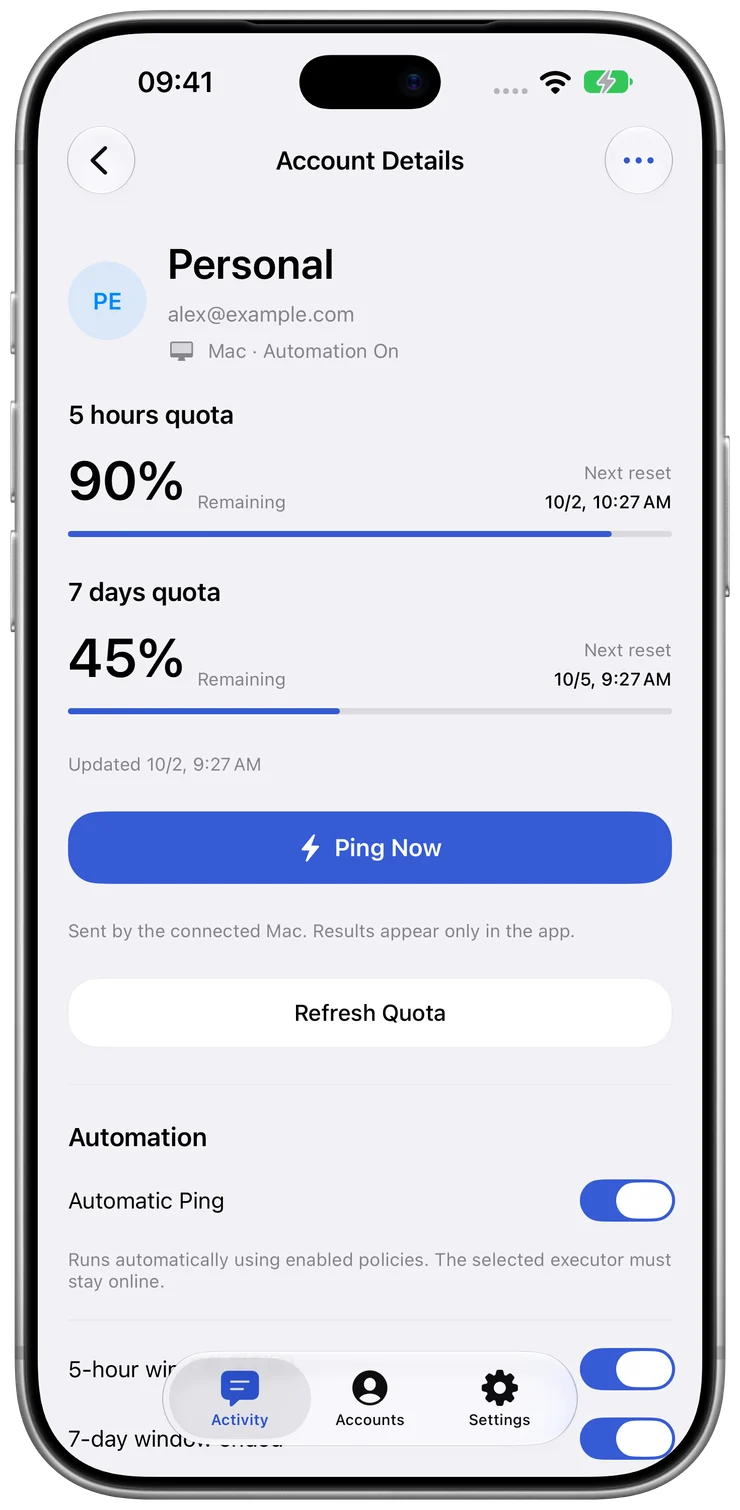
Manage automatic Ping, window-expiry checks, and official extra-reset checks per account. You can also start a manual Ping from iPhone.
Automation is available with Plus / Pro and depends on quota checks, your policies, and Mac availability.
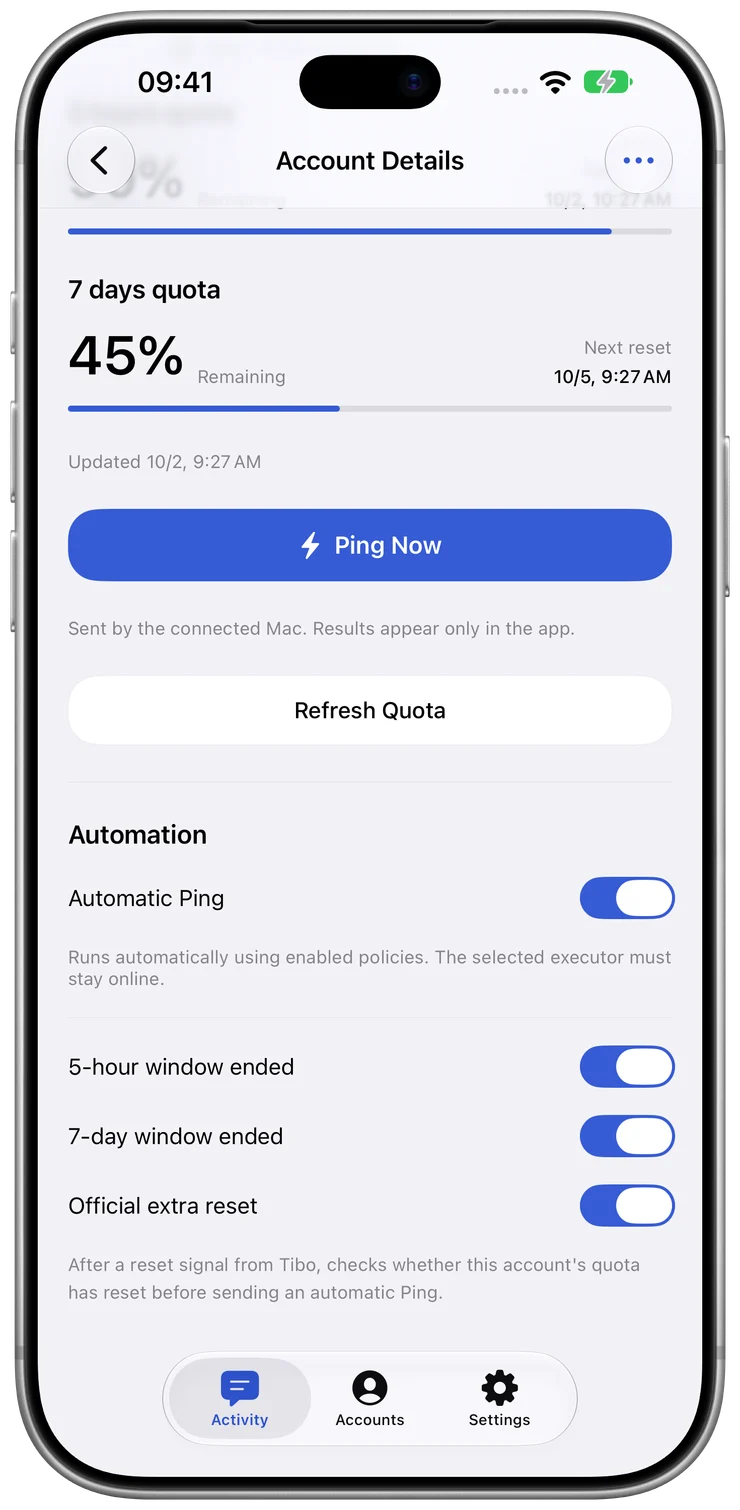
Real app screens · Isolated demo data
Install both apps and link them with the same ResetPing identity. Quota and results sync to iPhone; reusable Codex credentials stay on Mac.
ResetPing for iPhone
View quota and reset announcements, manage account policies, and review your Ping activity.
Connected account features require the Mac companion.
Install from the App Store, then sign in to ResetPing with your email.
ResetPing for Mac 1.1.5 (50)
Store reusable credentials, read your quota, and run manual or policy-triggered Ping requests.
Open the DMG, drag ResetPing into Applications, and open it. The app runs in your Mac’s menu bar.
Before upgrading, stop the background service and quit the app. Replace it, reopen it, and start the service. Keep existing local app data to preserve your connections.
Install both apps, then follow these steps. Each step shows which device to use.
Your ResetPing sign-in links devices. ChatGPT authorization enables quota reads and Ping.
Need help connecting?iPhone
Open the iPhone app and sign in with an email verification code. Use this same ResetPing identity when linking your Mac.
Mac + iPhone
Sign in on Mac with the same email. Or generate a pairing QR code / code on Mac, then scan or enter it in your signed-in iPhone app and confirm. Allow background access when macOS prompts you.
iPhone
Add an account on iPhone, choose your linked, online Mac, and start sign-in on Mac.
Mac
Open the pending authorization request in ResetPing on Mac. Follow the official sign-in page, check the ChatGPT account, and complete authorization.
iPhone
After authorization and the first successful quota read, view quota, manage policies, and review activity on iPhone. Automation requires an eligible plan and enabled policies.
Choose the automation and account capacity you need. Purchases happen in the iPhone app.
| Feature | Free | Plus | Pro |
|---|---|---|---|
| Connected accounts | 1 | 1 | Up to 5 |
| Quota & windows | Included | Included | Included |
| Public reset announcements | Included | Included | Included |
| Manual Ping | Included | Included | Included |
| Automatic checks & Ping policies | Not included | Included | Included |
Plus / Pro prices, subscription periods, and renewal terms are shown in the app before purchase. Manage or cancel renewal through your Apple Account.
Your Mac stores reusable ChatGPT/Codex credentials and directly reads quota and sends Ping requests. iPhone is where you view and manage it all. Connected account features require an eligible ChatGPT account and the ResetPing Mac app.
To read quota and send Ping requests, your Mac must be signed in, awake, online, and allowed to run the ResetPing background service. Closing the window or quitting the interface leaves an enabled background service running. Sleep, lost connectivity, or stopping the service affects execution.
Data is still processed. Reusable ChatGPT/Codex credentials stay on Mac and are not uploaded to the coordinator; temporary login codes and verification links may pass through the service. The coordinator processes necessary login, device, account, quota, activity, notification, and subscription information. See our Privacy Policy for details.
An official announcement is public news. It does not guarantee that every account has received a reset. ResetPing checks your actual account quota for reset evidence. Automatic Ping also requires an eligible plan, enabled policies, and an available Mac.
No. Ping is a short, fixed request sent from your Mac to OpenAI through your authorized Codex connection to start the next window when eligible. It does not increase quota, guarantee resets, or redeem banked resets on your behalf. Any redemption must be completed by you.
Find your official Codex usage limits, read quota windows in ResetPing, and check whether a quota snapshot is still current.
Understand public reset announcements, personal quota recovery, Banked resets and the conditions for automatic Ping in ResetPing.
Connect your iPhone and Mac, authorize ChatGPT, complete the first quota read, and troubleshoot offline devices and automatic Ping.